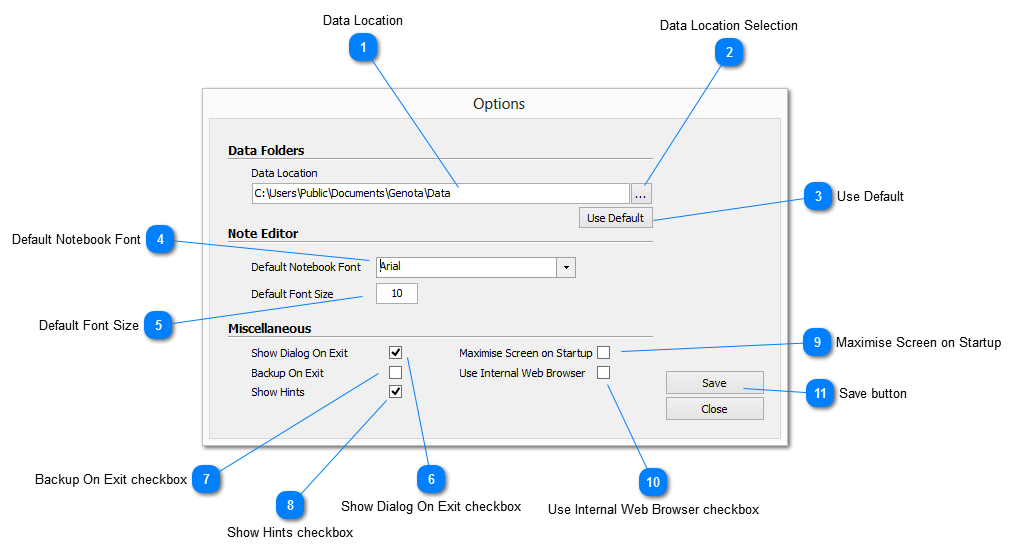
The Options window provides for the user to configure Genota according to their preferences.
It is broken into three (3) primary areas: DATA FOLDERS, NOTE EDITOR and MISCELLANEOUS, the details of each being given below.
Changes to the configuration are managed by click selecting the check boxes alongside the required parameter. If checked the parameter is set, if blank it means that the option is inactive.
All operations on this screen affect Genota globally
Opens the BROWSE FOR FOLDER dialog allowing the user to navigate to, and select a folder into which the data files will be stored. An option MAKE NEW FOLDER is provided to enable the creation of a new folder if required.