To properly display this page you need a browser with JavaScript support.
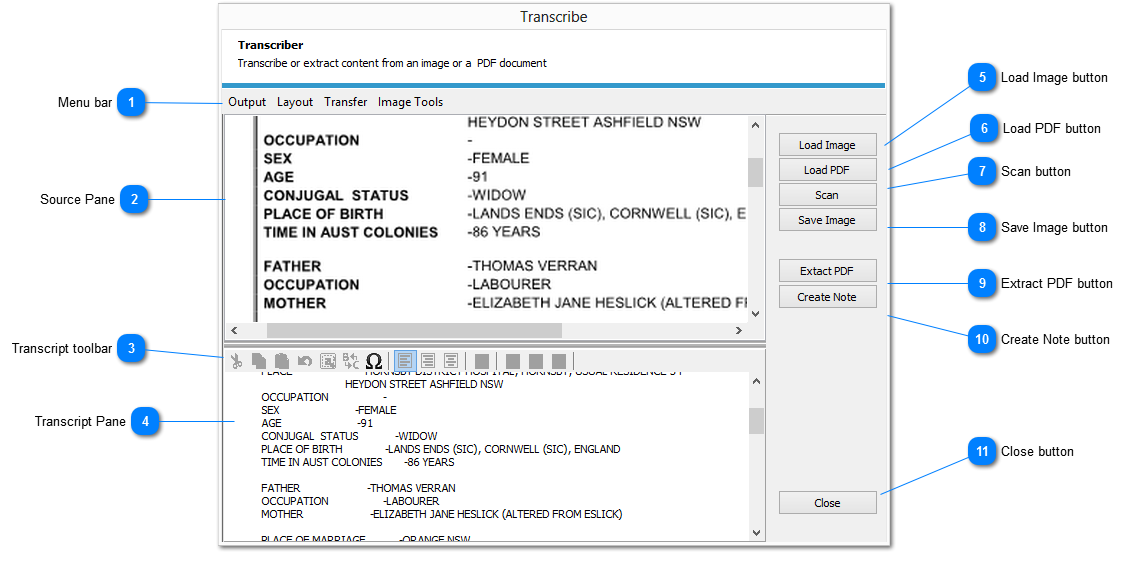
The TRANSCRIBER is a module designed to assist in the transcribing of documentation into an electronic form
If a PDF format document has been created from a text or word processing document its information can be extracted electronically
Provision is made to transcribe the information in both document and spreadsheet formats
Menu bar
The
MENU BAR provides access to all actions within the TRANSCRIBER module
Source Pane
The Source Pane is used to display both the images and PDF files loaded into the TRANSCRIBER module
Transcript toolbar
The Transcript toolbar provides access to the set of editing functions. The set of functions available depends on the MODE being used
Document Mode
Left to right the functions are:
CUT
COPY
PASTE
UNDO
SELECT ALL
FIND and REPLACE
INSERT CHARACTER
LEFT JUSTIFY TEXT
CENTRE TEXT
RIGHT JUSTIFY TEXT
INSERT BULLET
BOLD TEXT
ITALIC TEXT
UNDERLINED TEXT
Worksheet Mode
Left to right the functions are:
CUT
COPY
PASTE
FIND and REPLACE
INSERT CHARACTER
PRINT
SET GRID SIZE
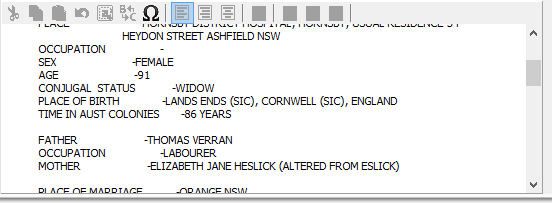
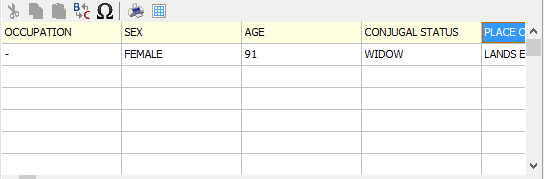
Transcript Pane
Document Mode
Worksheet Mode
Load Image button
Load an image into the SOURCE PANE. All commonly used images formats are supported
Load PDF button
Load a PDF formatted file into the SOURCE PANE
Scan button
Scan a document or photograph into the SOURCE PANE as an image
Save Image button
Save an image displayed in the SOURCE PANE as a file
Extract PDF button
Extract the contents of a PDF image displayed in the SOURCE PANE. This function only operates on PDF files created from text sources
Create Note button
This function opens the ADD NOTE dialog enabling the creation of a new NOTE containing the contents of the TRANSCRIPT PANE. As the contents are copied to the note as text, all formatting will be lost
To retain formatting, open the NOTE once created then select and copy the contents of the TRANSCRIPT PANE, then paste into the NOTE overwriting the existing contents
Close button
Closes the TRANSCRIBER Module