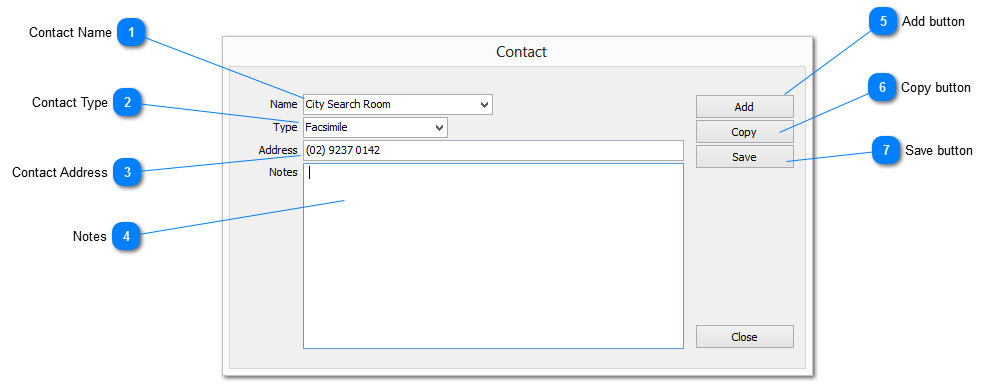
Contact Name
This element is used to record a name for the contact. A list of generic names is provided in the drop down list or enter a name manually
|
|
 Contact Type
Select the type of contact from the dropdown list. If the contact type does not appear on the list a new type may be entered manually
|
|
 Contact Address
The address or the contact. It may be an email address, URL, postal or physical address
|
|
 Notes
Provision to record Notes related to the contact
The Note may be up to 64,000 characters in length
|
|
 Add button
Clears all elements to enable the creation of a new contact record
|
|
 Copy button
Copy the contents of the current Contact record as a new Contact with the Name element information removed
|
|
 Save button
Save the Contact record
|
|