To properly display this page you need a browser with JavaScript support.
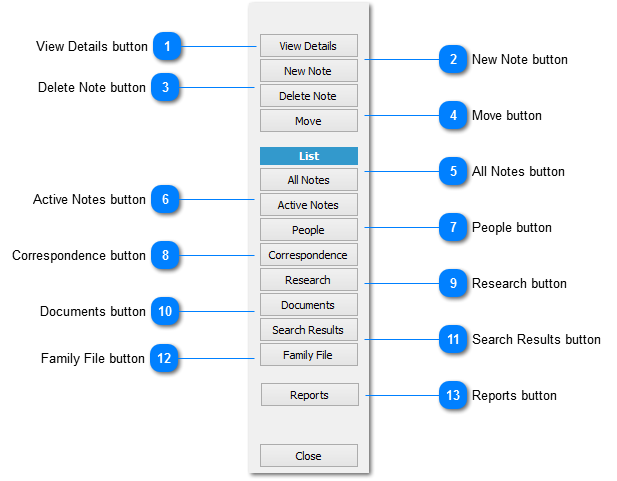
View Details button
If the record is a document, research item or the like the NOTE DETAIL will contain the note where the document, research item or the like , is recorded
New Note button
Displays the
ADD NOTE dialog to facilitate the creation of a new note
Delete Note button
Delete the select note from file
Move button
Move the selected note to another notebook
The OPEN NOTEBOOK dialog will display listing the target notebooks available
If a new notebook is required select the NEW option on the OPEN NOTEBOOK dialog to create the new notebook
All Notes button
Displays the list of all notes in the selected notebook
Active Notes button
Displays the list of active notes in the selected notebook
People button
Displays the list of included persons in all notebooks
Correspondence button
Displays the list of correspondence records in all notebooks
Research button
Displays the list of research entries in all notebooks
Documents button
Displays the list of associated documents in all notebooks
Search Results button
Displays the result of the most recent search across notebooks
Family File button
This button is only visible if a family file is linked to the notebook under the
NOTEBOOK PREFERENCES
Reports button