Research Item
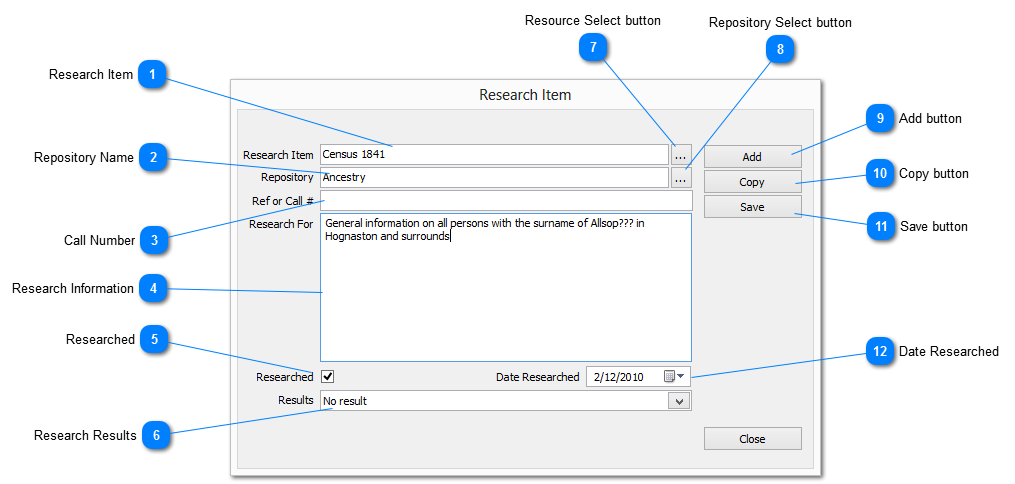
The name of the item to be researched
|
|
 Repository Name
The name of the repository to be visited
|
|
 Call Number
The call number of a resource at the repository
|
|
 Research Information
Used to record the details of information to be researched
|
|
 Researched
Check if the research has been performed
This is displayed in the Research Log to provide a quick method to determine outstanding research
|
|
 Research Results
Used to record the results from the research performed
Press the down arrow to the right of the text box to display more information where available
|
|
 Resource Select button
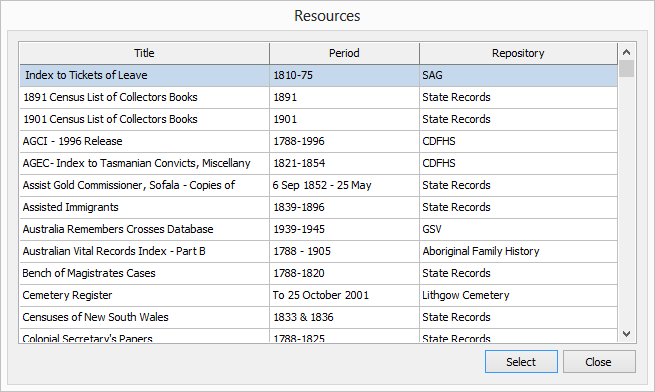
This option enables a resource to be inserted from information held in the Address Book rather than manually adding it manually
Selecting will cause the resources window to appear display listing all available resources
Scroll down the list and choose the required resource
Once selected, click on the SELECT button to return the information to the research item dialog
|
|
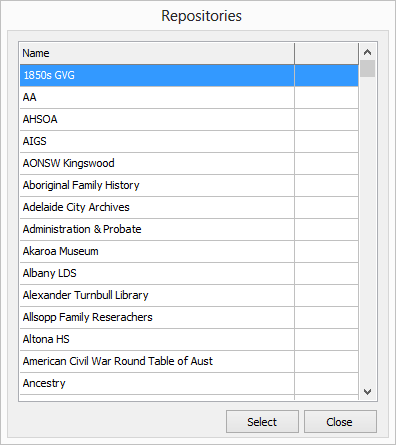
 Repository Select button
Click select to displays the list of repositories on file from which to select
|
|
 Add button
Clears all elements to enable the creation of a new research Item record
|
|
 Copy button
Copy the contents of the current research Item record as a new record
|
|
 Save button
Save changes to the research Item record
|
|
 Date Researched
The date that the research was conducted
|
|